Teams
Teams let you see numbers for a group of people and send that group its own notifications.
Where teams come from
Teams come from your GitHub organization. DXLens reads them from GitHub, so there is nothing to create in DXLens.
Team members
A team's members are the members of the GitHub team. To change them, edit the team in GitHub. DXLens picks up the change after the next sync.
Team notifications
Notifications, Teams tab, pick a team. Each team can have its own Slack channel, email list, recap cadence and pending PRs rules. Organization-wide settings are separate and don't apply to teams.
Team notifications are part of the Business plan.
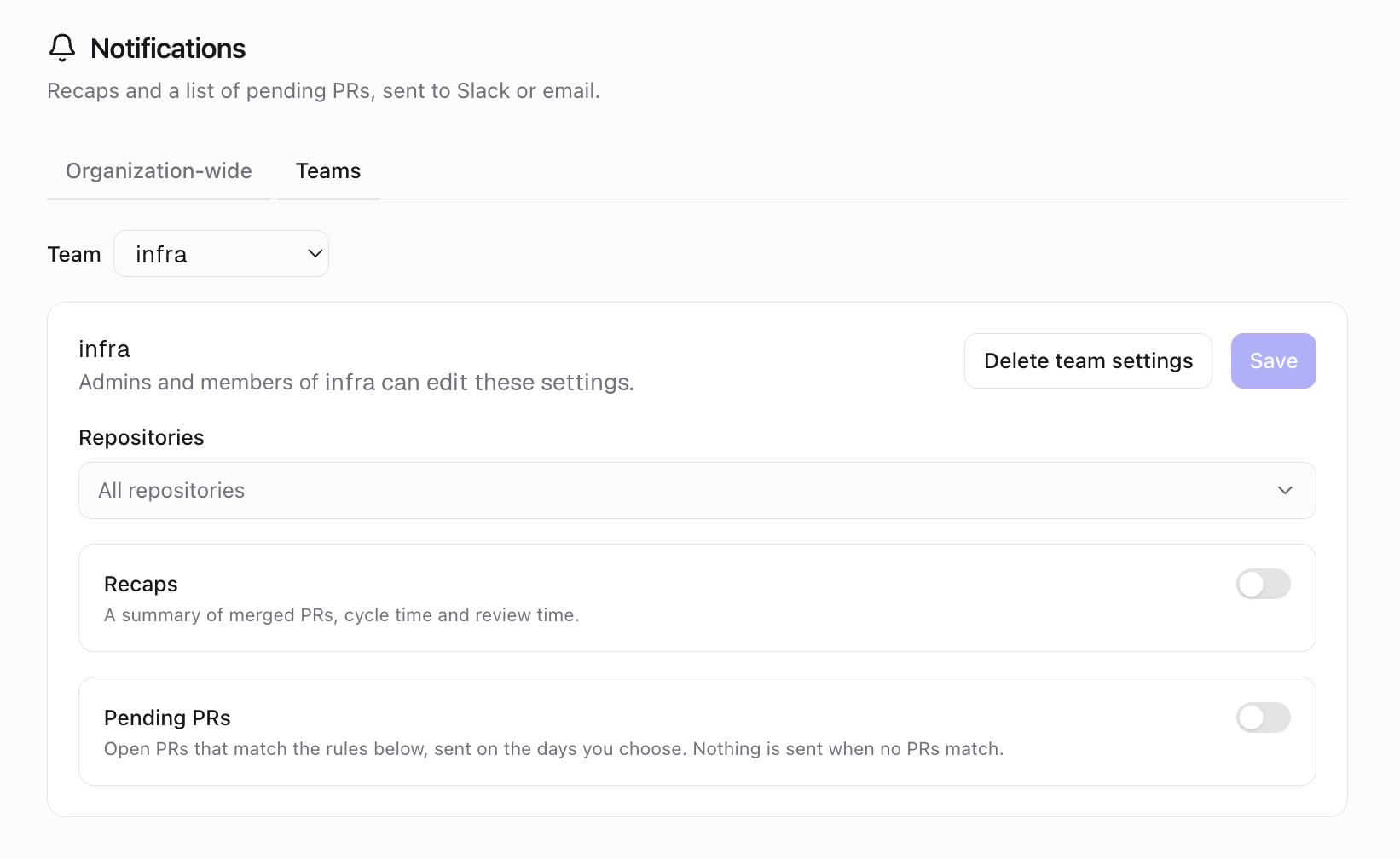
Team notifications Who can edit
Admins and members of the team can edit that team's settings. Only admins can edit organization-wide settings.
Comparing teams
The Team comparison tab shows selected teams side by side, with observations when something stands out: one person doing most reviews, slow first review, low volume, after-hours work, or no reviews. Team comparison is part of the Business plan.
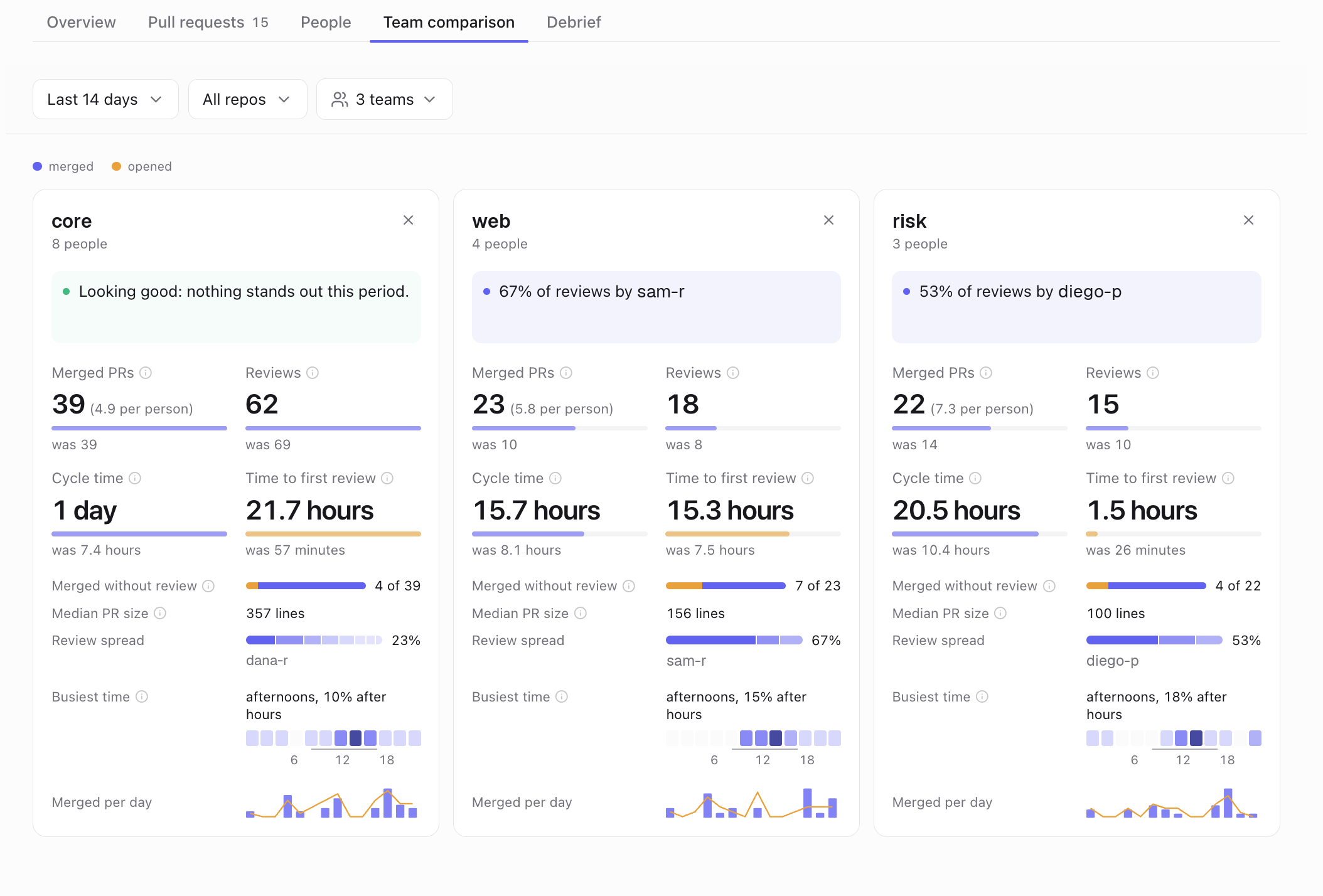
Team comparison
Something unclear? Email support@dxlens.io